Icon of program: MacCaption

MacCaption for Mac

  • Trial version
  • 2.6
    13
  • 16.5K
  • V4.1.4

Efficient Multimedia Captioning Tool for Mac

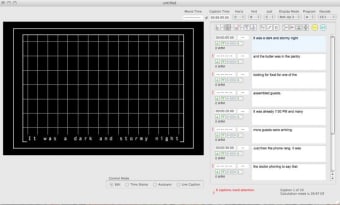
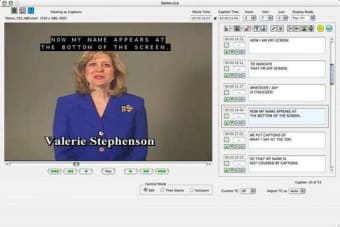
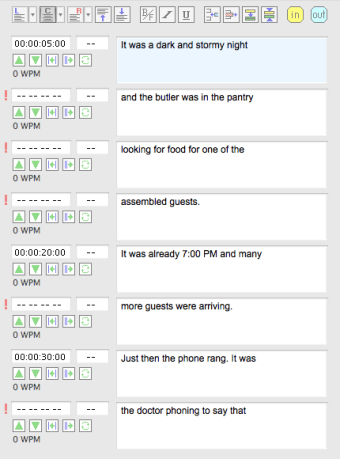
MacCaption is a trial version application designed specifically for Mac users, focusing on multimedia captioning. This software provides users with essential tools to create and edit captions efficiently, catering to various multimedia projects. With its user-friendly interface, MacCaption simplifies the captioning process, allowing for seamless integration with video files and other media formats.

Top Recommended Alternative

The application stands out in the multimedia category by offering features that enhance the accessibility of video content. Users can easily customize captions, adjust timing, and ensure synchronization with audio tracks. MacCaption is an ideal solution for content creators, educators, and anyone needing to add captions to their videos, making it a valuable tool for enhancing viewer engagement and comprehension.


 0/5

App specs

  • License

    Trial version

  • Version

    4.1.4

  • Latest update

  • Platform

    Mac

  • OS

    Mac OS X

  • Language

    English

  • Downloads

    16.5K

    Last month's downloads

    • 32
  • Size

    11.12 MB

  • Developer

Program available in other languages


Icon of program: MacCaption

MacCaption for Mac

  • Trial version
  • 2.6
    13
  • 16.5K
  • V4.1.4

User reviews about MacCaption

2.6

1 reviews

Add review

Main reviews for you

  • Anonymous user

    Handles many more video formats than QuickTime or DV . I noticed I was able to create closed captioning for Flash CS3-CS5 via the Time Text DFXP export. Also, 3GP format for mobile phones like the iPhone. It supported YouTube captioning. Real Player and Windows Media as well. It also could read and write industry standard caption files such as Cheetah .CAP, Ultech .ULT, .TDS, .CIN, .SCC, etc. Pros: Easy to use, works with Final Cut Pro and Avid, supports all my web formats and DVD. Cons: None

More

You may also like

Alternatives to MacCaption

Explore Apps

Latest articles

Laws concerning the use of this software vary from country to country. We do not encourage or condone the use of this program if it is in violation of these laws.
Softonic

Is MacCaption safe?

100/100

Score result: Clean

This file passed a comprehensive security scan using VirusTotal technology. It is safe to download.

  • Virus free
  • Spyware free
  • Malware free
  • Verified by Security Partners

    VirusTotal logo

Scan Info

Last scan
Sunday, December 3, 2023
Scan provider
VirusTotal · Full report

File Integrity

File
MacCaption_Demo.dmg.hqx
SHA256
deb097e2e694025e1397ea0785eec2e431dbb9880c82bd86b9864a5400f8f012
SHA1
4fa4dbe0c358f2ec386d27b87800315be6011ebe

Softonic security commitment

MacCaption has been thoroughly scanned by our advanced security systems and verified by industry-leading partners. This file comes from the official developer and has passed all our security checks, showing no signs of viruses, malware, or spyware. For more information, visit our Security and Trust Center